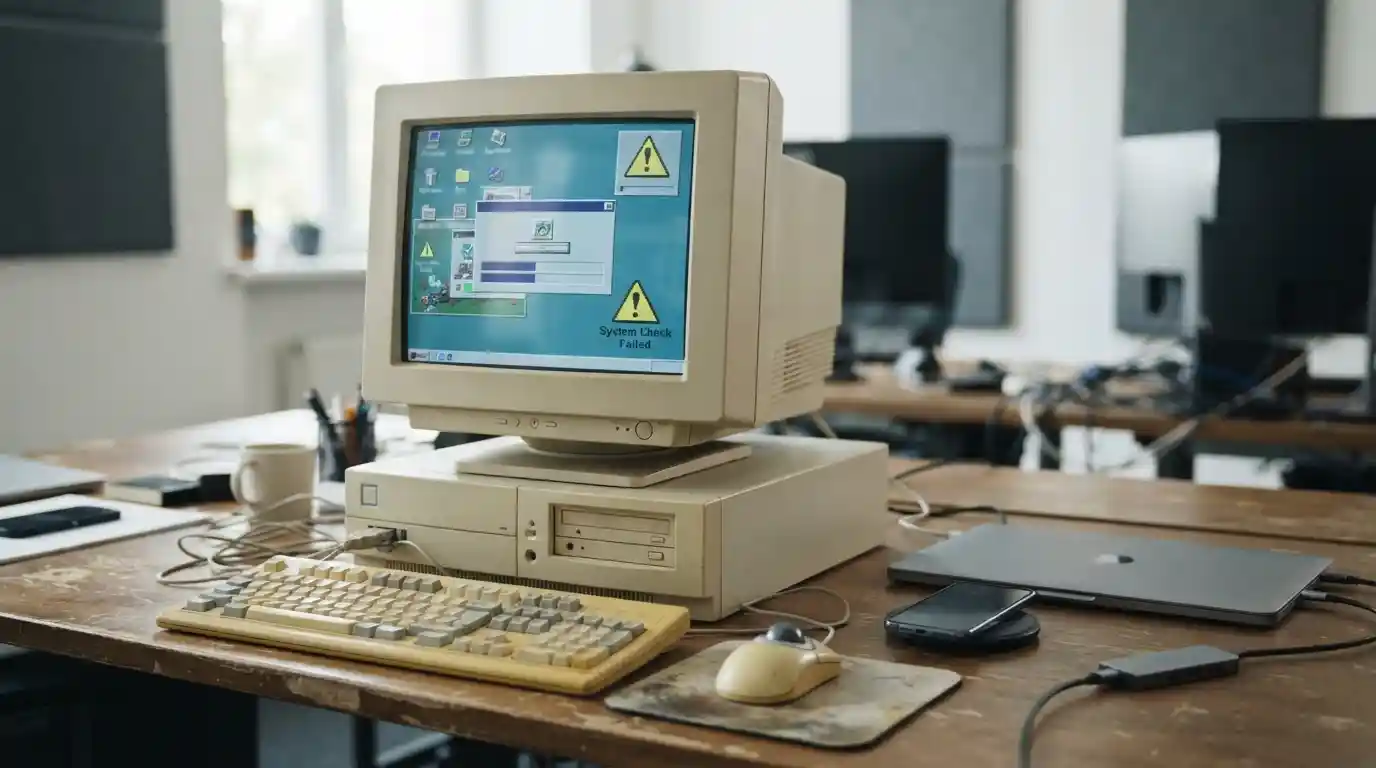
Software plays a central role in how people work, communicate, manage data, shop, learn, and protect their digital accounts. But installing software once and leaving it untouched for years can create serious problems. As applications and operating systems age, they may stop receiving security patches, become incompatible with newer technologies, and gradually lose reliability.
So, what are the risks of using outdated software? The biggest concerns include security vulnerabilities, malware infections, data loss, compatibility problems, poor performance, compliance issues, and unexpected business costs. Even software that appears to work normally can contain weaknesses that attackers may exploit.
Understanding these risks makes it easier to decide when an application, operating system, browser, plugin, or business platform needs to be updated or replaced.
What Does Outdated Software Mean?
Outdated software is an application, operating system, driver, plugin, or other digital component that is no longer running a current supported version. Sometimes an older version still works perfectly well from the user’s perspective. However, continued functionality does not necessarily mean that the software remains secure or compatible.
Software developers release updates for several reasons. Updates may introduce new features, improve performance, fix bugs, strengthen security, or make the application compatible with newer hardware and services. When users skip updates for extended periods, they can miss important improvements.
The situation becomes more serious when a product reaches end of support. At that point, the developer may stop providing security patches and technical fixes altogether.
1. Increased Security Vulnerabilities
One of the most important risks of outdated software is increased exposure to security vulnerabilities. Developers regularly discover weaknesses in applications and release patches to address them. If an organization or individual continues using an unpatched version, the vulnerability may remain available to attackers.
Attackers can look for weaknesses in operating systems, browsers, applications, plugins, and other components. Once a known vulnerability becomes widely documented, systems that have not received the appropriate update can become easier targets.
This is particularly important for organizations that store customer information, financial records, employee data, intellectual property, or other sensitive information. Modern cybersecurity increasingly depends on keeping the entire software environment maintained rather than protecting only individual applications.
For a broader look at how technology is being used to strengthen security, see how artificial intelligence improves cybersecurity.
2. Greater Risk of Malware and Ransomware
Outdated software can also increase the risk of malware infections. Malware includes malicious programs designed to disrupt systems, steal information, monitor activity, or gain unauthorized access.
Ransomware is another concern. In a ransomware attack, malicious software may restrict access to files or systems and demand payment from the victim. Unpatched software can create opportunities for attackers to exploit known weaknesses and gain an initial foothold.
Keeping applications and operating systems updated is not a complete security strategy, but it is an important part of reducing avoidable exposure.
3. Data Loss and Privacy Problems
Another major risk is the potential loss or exposure of data. Software may handle documents, passwords, customer records, photographs, financial information, or other sensitive content. If an outdated application contains an exploitable weakness, attackers may potentially access information that should remain private.
Older software can also have compatibility problems with modern backup systems, cloud services, encryption technologies, or storage formats. This can make recovering important information more difficult when something goes wrong.
For businesses, data problems can lead to operational disruption as well as financial and reputational consequences. A strong software-maintenance process should therefore consider both security updates and reliable backup procedures.
4. Compatibility Issues With New Technology
Technology changes quickly. New operating systems, hardware components, cloud platforms, browsers, devices, and online services are frequently introduced. Older applications may not be designed to work correctly with them.
Compatibility issues can appear in many ways. An application may crash, certain features may stop working, files may display incorrectly, or a device may fail to recognize a newer peripheral.
Hardware upgrades can expose these limitations particularly quickly. For example, people interested in gaming hardware can see how software and hardware requirements interact when comparing graphics cards and gaming performance.
Similarly, the software environment can influence the experience of people choosing between different platforms, including the differences discussed in console and PC gaming.
5. Poor Performance and Reliability
Outdated software may become slower or less reliable over time. This does not always happen because the software itself becomes slower. Instead, the surrounding technology changes while the older application remains the same.
New operating systems may introduce different system requirements. Updated browsers may change how websites and web applications function. New hardware may require updated drivers. Cloud services may also change their underlying technologies.
As these changes accumulate, older software can experience crashes, freezes, slow loading times, unexpected errors, and other reliability problems.
For everyday users, this can mean lost productivity. For businesses, repeated software failures can interrupt workflows and create unnecessary support costs.
6. Missing New Features and Productivity Improvements
Security is not the only reason to keep software current. Developers also use updates to improve usability and productivity.
Newer versions may offer faster workflows, automation, improved search, better collaboration, accessibility improvements, cloud integration, and more efficient resource usage. Users who remain on older versions may miss these capabilities.
This is especially relevant when software is used across multiple devices. Mobile applications, for example, are constantly evolving to support changing operating systems and user expectations. If you’re interested in productivity software, you can also explore mobile apps that can help boost productivity.
7. Problems With Modern Devices
Older software may not properly support newer devices. This can affect computers, smartphones, wearable devices, gaming accessories, printers, cameras, and other connected hardware.
For example, a newer device may depend on updated drivers or communication protocols that an old application does not understand. Some features may remain unavailable even though the hardware itself is functioning correctly.
This relationship between software and hardware is particularly noticeable in gaming environments. Modern accessories can rely on companion applications for configuration, firmware updates, lighting controls, performance settings, or customization. Related hardware considerations are discussed in gaming accessories for immersive experiences.
Mobile and wearable technology can face similar challenges as operating systems and device capabilities evolve. See the future of wearable technology for more context about the changing technology landscape.
8. Increased Maintenance Costs
Keeping outdated software may seem cheaper because it avoids the immediate cost of an upgrade. In practice, older systems can become increasingly expensive to maintain.
Employees may spend additional time troubleshooting problems. IT teams may need to maintain workarounds. Businesses may need specialized hardware or older operating systems simply to keep legacy applications running.
These costs can become difficult to see because they are spread across support requests, downtime, manual processes, and lost productivity.
For technology-focused organizations, broader technology planning can also involve evaluating how digital infrastructure supports business operations. Topics such as technology and business innovation illustrate why technology decisions should be considered as part of a wider operational strategy.
9. Integration and Software Interoperability Problems
Modern businesses rarely rely on a single application. A typical workflow may involve accounting software, customer-management systems, communication platforms, cloud storage, analytics tools, websites, payment systems, and mobile applications.
When one component becomes outdated, integrations can start breaking. APIs may change, authentication systems may be updated, data formats may evolve, or an application may stop supporting an older integration method.
This can create a chain reaction in which one outdated component affects several other systems.
Data-focused technology also continues to evolve. Businesses working with large information environments can consider the broader role of technology through resources such as modern data technology solutions.
10. Compliance and Business Risk
Organizations in regulated industries may have additional requirements concerning security, privacy, access controls, vulnerability management, and data protection. Running unsupported or unpatched software can make it harder to demonstrate that reasonable security controls are in place.
The exact requirements depend on the organization, industry, location, and type of information being processed. However, software lifecycle management is an important consideration whenever systems handle sensitive business or customer data.
Technology decisions can also influence digital operations and customer-facing services. Businesses that depend heavily on online channels may need to consider software maintenance alongside broader digital marketing strategies and technology investments.
How Outdated Software Can Affect Businesses
The consequences of outdated software can extend beyond a single computer. In a business environment, one unsupported application can become a weak point in a larger technology ecosystem.
Potential consequences include:
- Unexpected system downtime
- Security incidents
- Lost or inaccessible data
- Higher IT support costs
- Reduced employee productivity
- Compatibility problems with customers or suppliers
- Difficulty integrating new technology
- Operational delays
- Increased technical debt
- Potential compliance challenges
The financial effect can be particularly significant when an outdated system supports an important business process. A short interruption may affect employees, customers, transactions, or internal operations simultaneously.
How to Tell If Software Is Too Old
There is no single age at which every piece of software becomes unsafe. The more important questions are whether the software is still supported, whether security updates are available, whether it remains compatible with the surrounding environment, and whether it meets current operational requirements.
Warning signs include:
- The developer no longer provides security updates.
- The software has reached end-of-life or end-of-support.
- Important features no longer work correctly.
- The application frequently crashes or freezes.
- It cannot integrate with newer systems.
- It requires unsupported operating systems or hardware.
- Security tools repeatedly identify known vulnerabilities.
- The vendor recommends upgrading to a newer version.
Organizations should also maintain an inventory of the software they use. Technology environments become harder to manage when teams do not know which applications are installed, who uses them, or whether they remain supported.
Should You Always Update Software Immediately?
Updating software is generally important, but organizations should still manage updates carefully. A rushed update can occasionally create compatibility issues with specialized applications, hardware, or existing workflows.
A better approach for businesses is to combine regular updates with testing, backups, change management, and a clear rollback plan where appropriate.
For personal devices, users should pay particular attention to security updates and official end-of-support notifications. If an application no longer receives security fixes, replacing it may be safer than continuing to rely on an unsupported version.
How to Reduce the Risks of Outdated Software
A practical software-maintenance strategy does not need to be complicated. The following steps can reduce unnecessary exposure:
- Maintain a software inventory: Know which applications, operating systems, plugins, and drivers are in use.
- Check support status: Identify software approaching end-of-support.
- Install security updates: Prioritize patches that address known security weaknesses.
- Back up important information: Maintain reliable backups before major upgrades.
- Test important updates: Businesses should test critical software before deploying major changes across all systems.
- Remove unnecessary applications: Software that is no longer needed should not remain installed without a reason.
- Replace unsupported products: If a developer has ended support, evaluate a maintained alternative.
- Monitor connected systems: Check whether updates to one application affect integrations with other tools.
Technology planning is increasingly connected to business growth, customer experience, data management, and online operations. Organizations can also explore how technology brands approach modern digital environments through information technology brands and digital marketing.
Why Software Maintenance Matters More Than Ever
Modern software rarely operates in isolation. Applications communicate with cloud platforms, browsers, databases, mobile devices, security systems, payment services, and other digital infrastructure. As a result, an outdated component can affect more than the device on which it is installed.
The broader technology environment is also changing rapidly. New artificial intelligence capabilities, cloud services, mobile platforms, security technologies, and data systems continue to reshape how people and businesses use software. Resources covering latest technology updates can help illustrate the pace of change across the technology sector.
Businesses should therefore treat software maintenance as an ongoing process rather than a one-time task. Regular reviews can identify unsupported applications before they become serious operational or security problems.
Final Thoughts
So, what are the risks of using outdated software? The risks can include security vulnerabilities, malware exposure, data loss, compatibility failures, poor performance, integration problems, higher maintenance costs, and potential business or compliance challenges.
Not every older application is automatically dangerous, but unsupported and unpatched software deserves particular attention. The key is to understand the software’s support lifecycle, keep critical systems maintained, back up important information, and replace products that can no longer receive necessary security or compatibility updates.
As technology continues to evolve, keeping software current is an important part of maintaining a reliable, secure, and productive digital environment.